
I recently ran into a photographer’s worst nightmare.
After spending the day shooting the Firestone Grand Prix of St. Petersburg, I started importing the photos into Lightroom and suddenly hit an error. The folder appeared empty, and it looked like the entire shoot was gone. This was not just a few casual photos. It was a full day of race photography on an aging SD card that had apparently decided to fail at exactly the wrong time.
With a background in digital forensics, the first step was not panic. It was preservation and triage.
What happened
The problem started during import. Lightroom threw an error, and the card no longer appeared to contain the files I had just shot. I checked for hidden files, reinserted the SD card, and ran basic system level checks, but nothing useful turned up. At that point, it was clear that I needed to move past normal troubleshooting and treat it like a recovery problem.
Turning to PhotoRec
PhotoRec is a recovery tool from the TestDisk suite that is well known in forensic and data recovery circles. It is designed to recover files from damaged or corrupted storage by carving data directly from the media, even when the filesystem is no longer behaving normally.
With nothing left to lose, I ran PhotoRec against the SD card and let it work through the media.
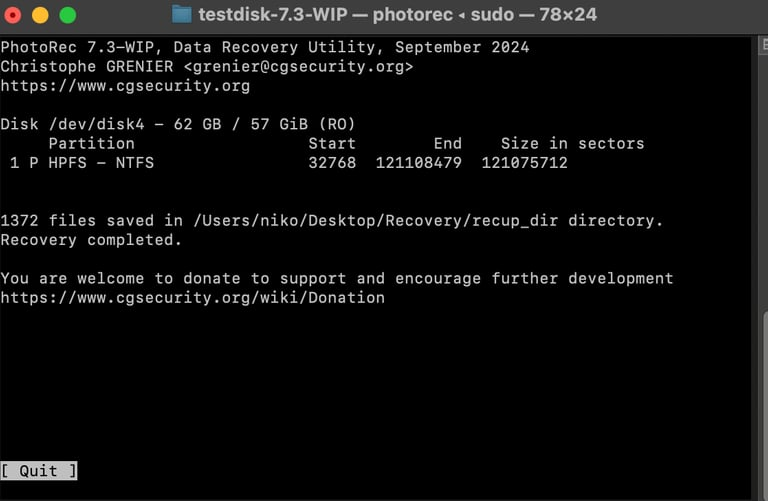
After the scan completed, PhotoRec recovered 1,372 files, including the Sony RAW images from the shoot saved as .sr2 files. What looked like a total loss ended up being recoverable because the underlying data still existed on the card even though the normal import workflow had failed.
Verifying the recovery
Once the files were recovered, I brought them back into Lightroom to confirm the images were intact and usable. Seeing the preview populate again was a huge relief.
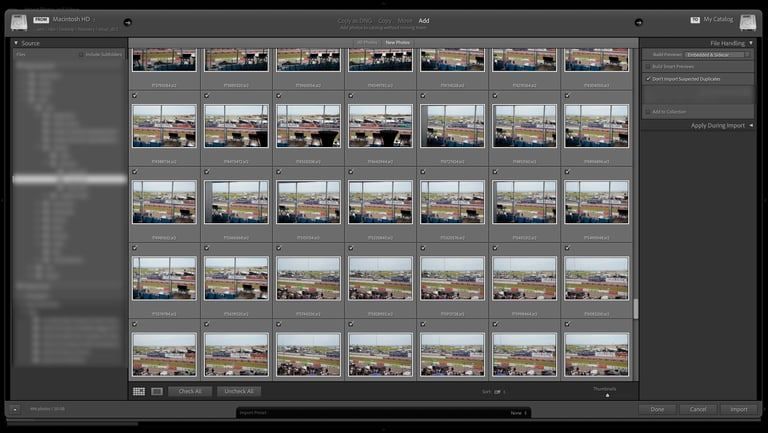
The recovered images were not just fragments or corrupt leftovers. The set included the race photos I thought were gone.

Lessons learned
This was a good reminder that recovery is not a backup strategy.
The biggest mistake here was relying on an old SD card without proper redundancy. My camera supports dual card recording, and I had not configured it to write to both cards. That decision turned a routine import problem into a near loss event.
A few takeaways stood out from this experience:
- Aging storage media should not be trusted with important shoots.
- Redundancy matters, especially when the hardware already supports it.
- PhotoRec is worth knowing, even outside traditional forensic work.
- The best recovery story is the one you never need because your workflow was resilient from the start.
Final thoughts
PhotoRec saved this shoot.
What started as a possible total loss turned into a practical reminder of why recovery tooling and disciplined media handling matter. In digital forensics, tools like PhotoRec are often associated with investigations and damaged evidence. In this case, it ended up saving a day of photography.
This experience also pushed me to take storage and archival more seriously. Going forward, the plan is simple: better media hygiene, built in redundancy, and a more reliable backup workflow from the start.